

Which Audiobookshelf iPhone app should I choose?
Try AudioBooth or Absorb for a free app, Prologue if you also use Plex, plappa for Jellyfin or Emby, or SoundLeaf for a library you can browse offline and Read Along. All of them connect to the same Audiobookshelf server, so you can try a few without moving your books.
- Free apps: AudioBooth or Absorb. Absorb also runs on Android.
- Plex as well as Audiobookshelf: Prologue. Jellyfin or Emby as well: plappa.
- A quiet, minimal player that also reads EPUB, PDF and comics: Still.
- Audiobook files you own, from anywhere: BookPlayer. You browse Audiobookshelf inside it, and it copies the books you pick to your phone.
- Organizing collections and playlists from the phone: ShelfPlayer, with a subscription for offline listening.
- A library you can browse with the server off, Read Along, per-show podcast settings and Apple Watch listening without your phone: SoundLeaf, which we make. Downloads are free.
There’s no official Audiobookshelf app on the App Store. The official iPhone app is a TestFlight beta, and it was full when we checked, so every app above comes from an independent developer. More on the beta in the questions at the end of this page.
Audiobookshelf iPhone apps compared
What each app’s App Store listing, website or public code says, checked on October 18, 2026. “Not listed” means we couldn’t find it in those sources, not that the app can’t do it. Prices are in US dollars.
| App | Runs on | Offline downloads | CarPlay | Apple Watch | Ebooks | Podcasts | Price |
|---|---|---|---|---|---|---|---|
| SoundLeaf | iPhone, iPad, Mac, Apple Watch | Yes, free | Yes | Yes, plays downloads with no phone | EPUB, with Read Along | Yes | Free. Pro $9.99 once; optional Supporter |
| AudioBooth | iPhone, iPad, Mac, Apple Watch | Yes | Yes | Yes; phone-free listening not confirmed | EPUB and PDF, with Read Along on iOS 26 | Yes | Free; optional tips and a Supporter option |
| Absorb | iPhone, iPad, Mac, Android | Yes | Yes | Not listed | Ebook reader | Yes | Free; no in-app purchases |
| Still | iPhone, iPad, Mac, Apple Watch | Yes | Yes | Yes | EPUB, PDF and CBZ comics | Yes | Free; optional Still Supporter $9.99 |
| ShelfPlayer | iPhone, iPad, Mac | With a subscription | Yes | Not listed | Opens attached PDFs | Yes | Free; subscription $2.99 a week or $29.99 a year |
| plappa | iPhone, iPad, Apple Watch | With a paid unlock | Yes | Yes | Not listed | Yes | Free; $4.99 once or $1.99 a year |
| Prologue | iPhone, iPad, Mac, Apple Watch | Yes; whether Premium is needed is unconfirmed | Yes | Yes; offline needs a $4.99 Watch unlock | EPUB and PDF, with the spoken word highlighted | Not listed | Free; Premium $9.99 once |
| BookPlayer | iPhone, iPad, Mac, Apple Watch | Yes, books are copied to the phone | Yes | Yes, plays with no phone | Not listed | Not listed | Free; optional Pro subscription |
SoundLeaf runs on a Mac as its iPad app. Prologue’s listing says some features need its Premium unlock but doesn’t list which ones. The official Audiobookshelf app is left out of the table because its beta was full when we checked.
How do the apps differ?
AudioBooth is free and includes downloads, an EPUB and PDF reader, and can download the next books in a series for you. Absorb is free too, open source, and also runs on Android, which helps if someone in the house uses Android.
Still keeps things quiet and simple, and reads comics as well as ebooks. ShelfPlayer puts more weight on searching across libraries and editing collections and playlists. Prologue also plays books from Plex, and plappa from Jellyfin and Emby.
BookPlayer works differently from the rest. It’s a player for audiobook files, and Audiobookshelf is one place it can copy them from. The SoundLeaf vs BookPlayer page explains what that means for your progress.
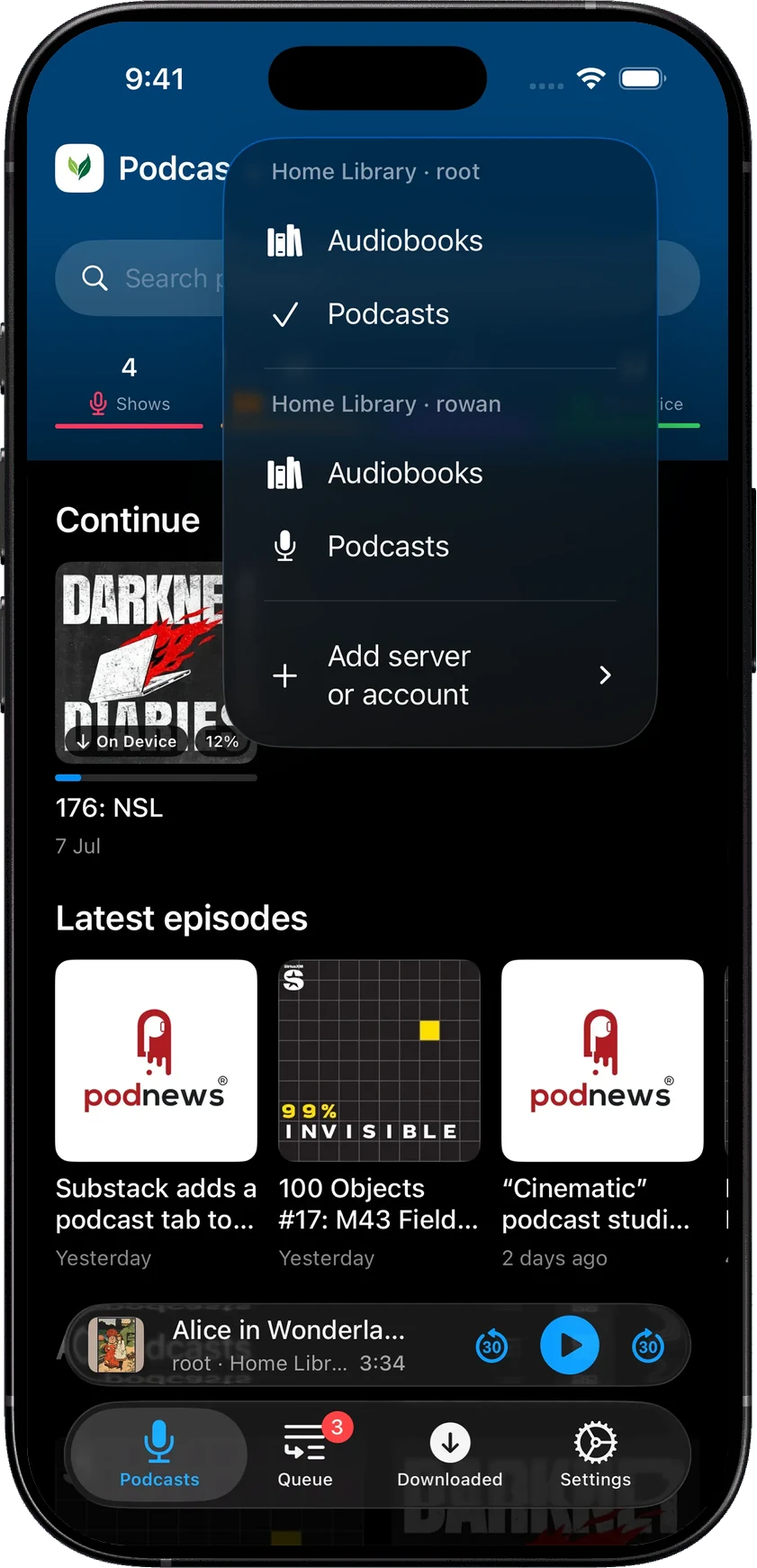
SoundLeaf is built around the library itself: you can browse it with the server off, read the ebook beside the narration, and give each podcast its own rules.
Browsing your library
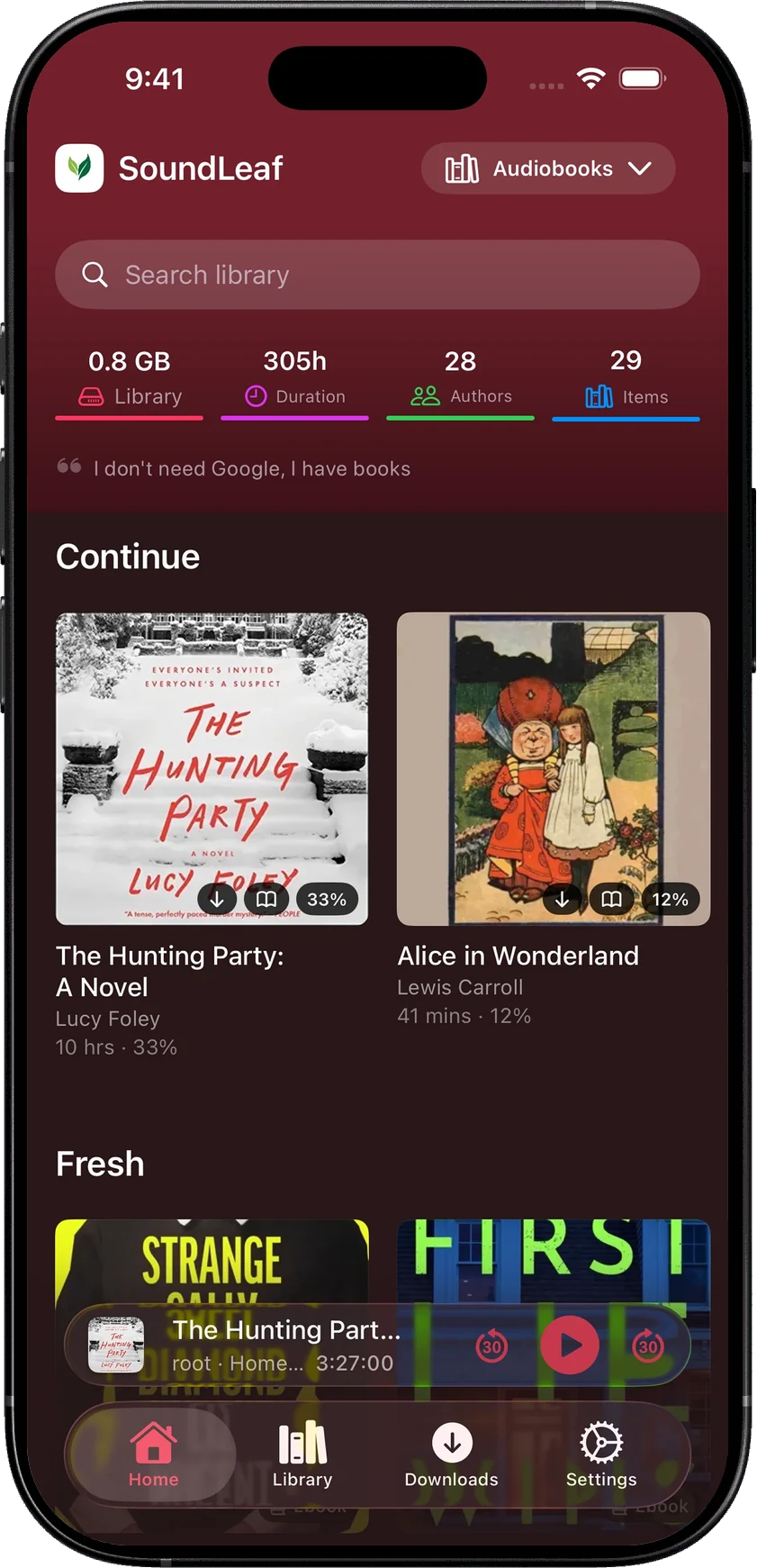
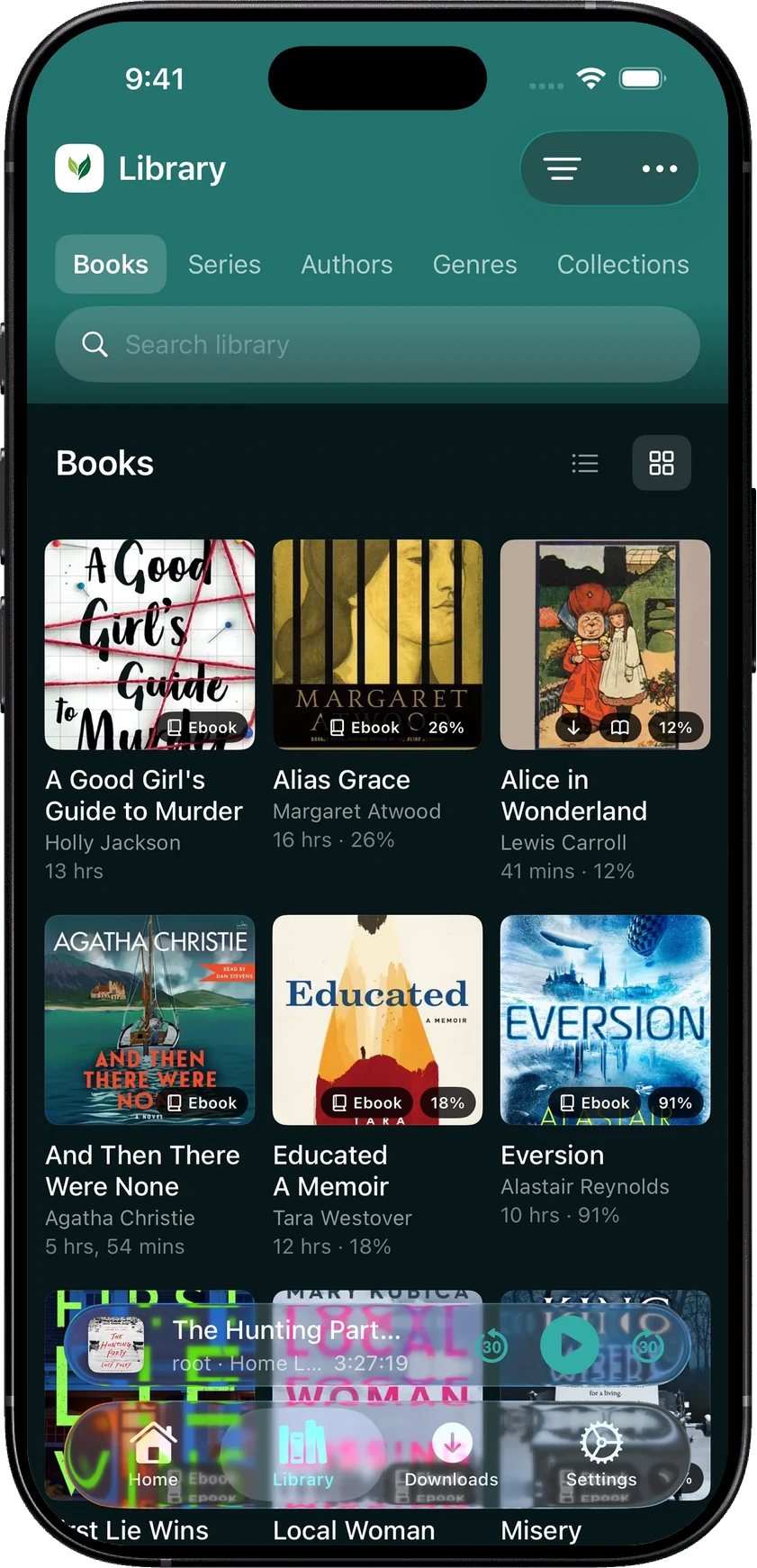
SoundLeaf’s Library has separate views for Books, Series, Authors, Genres, Collections and Playlists. You can follow an author into the rest of their work, find the next book in a series, or switch the layout when you’d rather scan a list than a shelf of covers. Home keeps the books you’re already in the middle of close by.
That distinction helps narrow the choice. ShelfPlayer is worth a look if you frequently rearrange collections and playlists. AudioBooth keeps authors and narrators a tap away. SoundLeaf shows the title, author and length under each cover, and carries the same colors through the library, player and settings.
Reading along with the audio
SoundLeaf’s Read Along highlights the narrated text in a matching EPUB and turns the page as you listen. Download the audiobook and the EPUB first. The matching runs on your iPhone, on devices that support on-device speech recognition, so your book isn’t sent to a separate transcription service. The recording below shows what following a book looks like.
The text does need to match the narration: a different edition or an abridged recording can throw it off. AudioBooth 1.12 added Read Along on iOS 26, and Prologue 2026.5 (October 2026, iOS 26.5 or later) highlights the spoken word in an EPUB or PDF on supported devices and languages. Still reads EPUB, PDF and comic files, and ShelfPlayer can open attached PDFs. If you mainly want the maps or booklet that came with an audiobook, that may be all the reading support you need.
Which apps download books for you?
There are two useful ways to decide what goes on the phone. Prepare what comes next, or save what you’ve actually started enjoying.
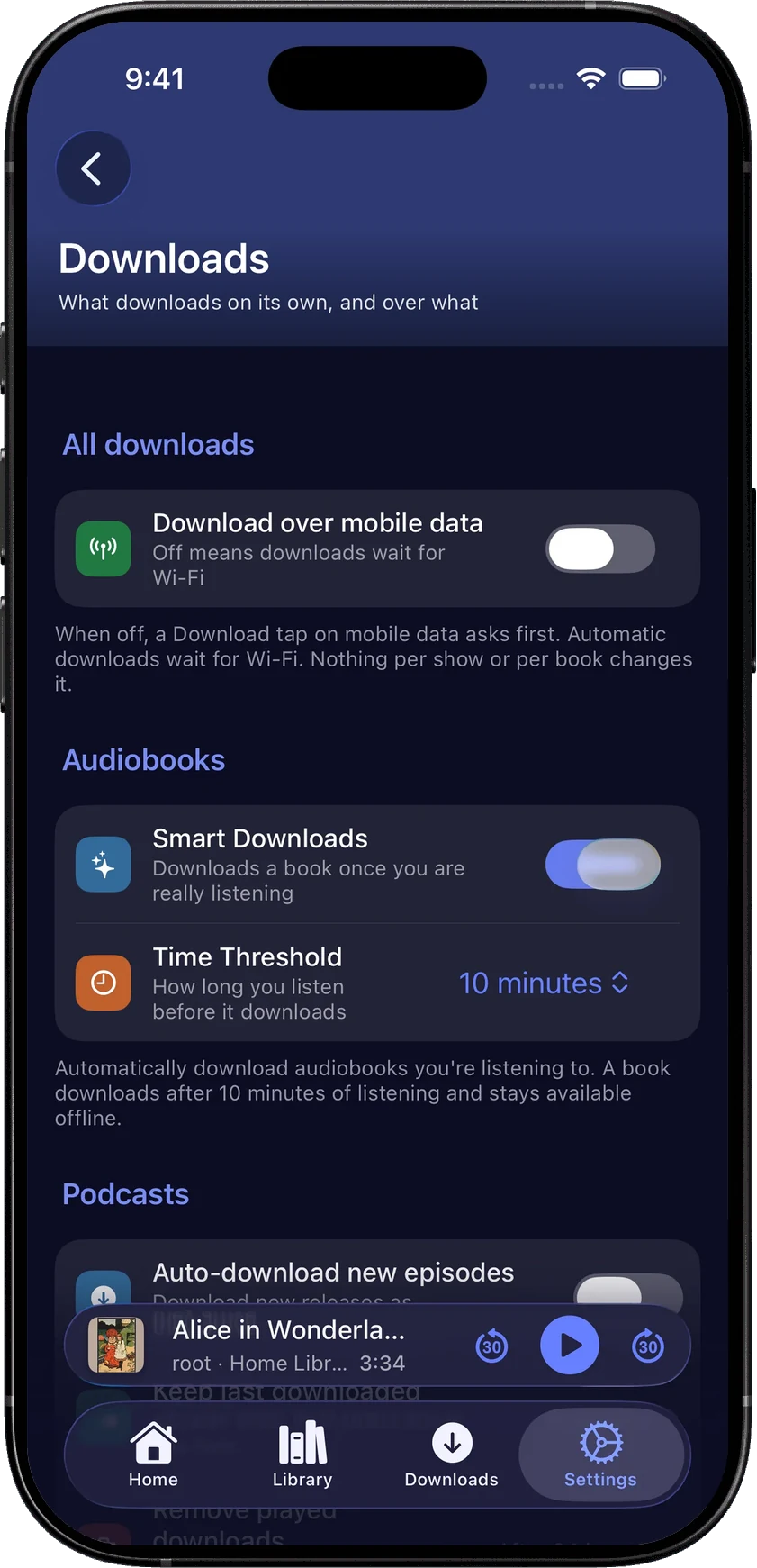
AudioBooth’s next-item downloads suit a series you know you’ll continue. SoundLeaf’s Smart Downloads waits until you’ve listened for a chosen amount of time, then downloads the book. That suits someone who samples a few openings before picking the one for the week. Manual downloads and Smart Downloads in SoundLeaf are both free.
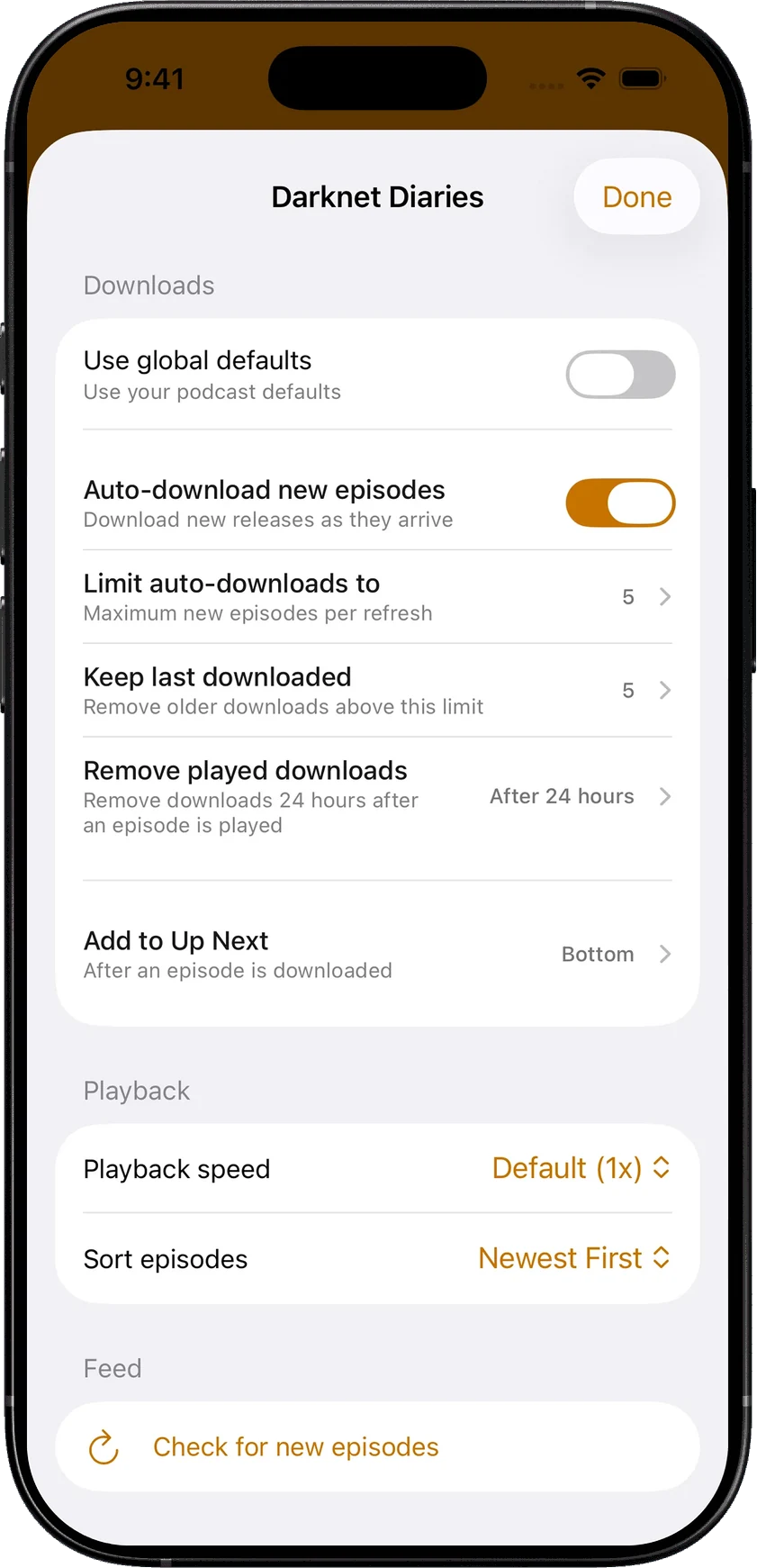
Podcasts need different rules again. A daily news show can keep a small number of recent episodes. A serial can play oldest first. SoundLeaf lets each show have its own download limit, playback speed and cleanup rules, rather than making every subscription behave the same way. Podcast auto-download is free.
Listening away from your server
SoundLeaf keeps library information on the phone, so browsing doesn’t disappear just because your home server is unavailable. Download the audio before leaving, and your listening can carry on; progress syncs back when the connection returns.
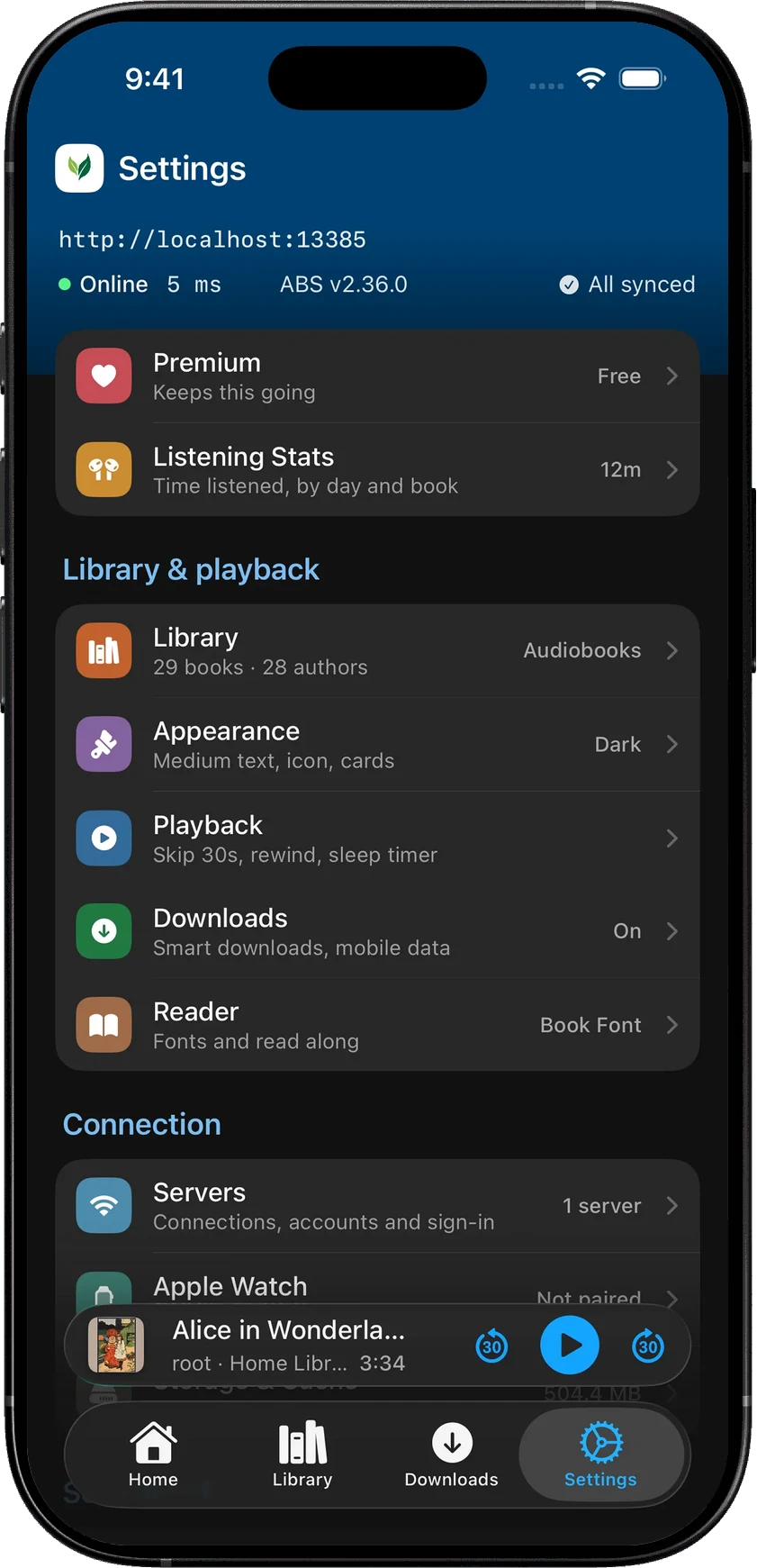
For households sharing a server, saved accounts keep progress and downloads separate. For people maintaining the server themselves, Settings shows whether it’s responding and how long it took to answer. A visible connection status is more useful than guessing whether the problem is the app, the network or the machine at home.
Themes and customization
A theme changes more than the player background. Lagoon brings deep teal to the library and queue; Orchid gives podcasts a richer purple; Burgundy uses deep red. Those colors continue into settings and book details, while the reader can keep its own page color.
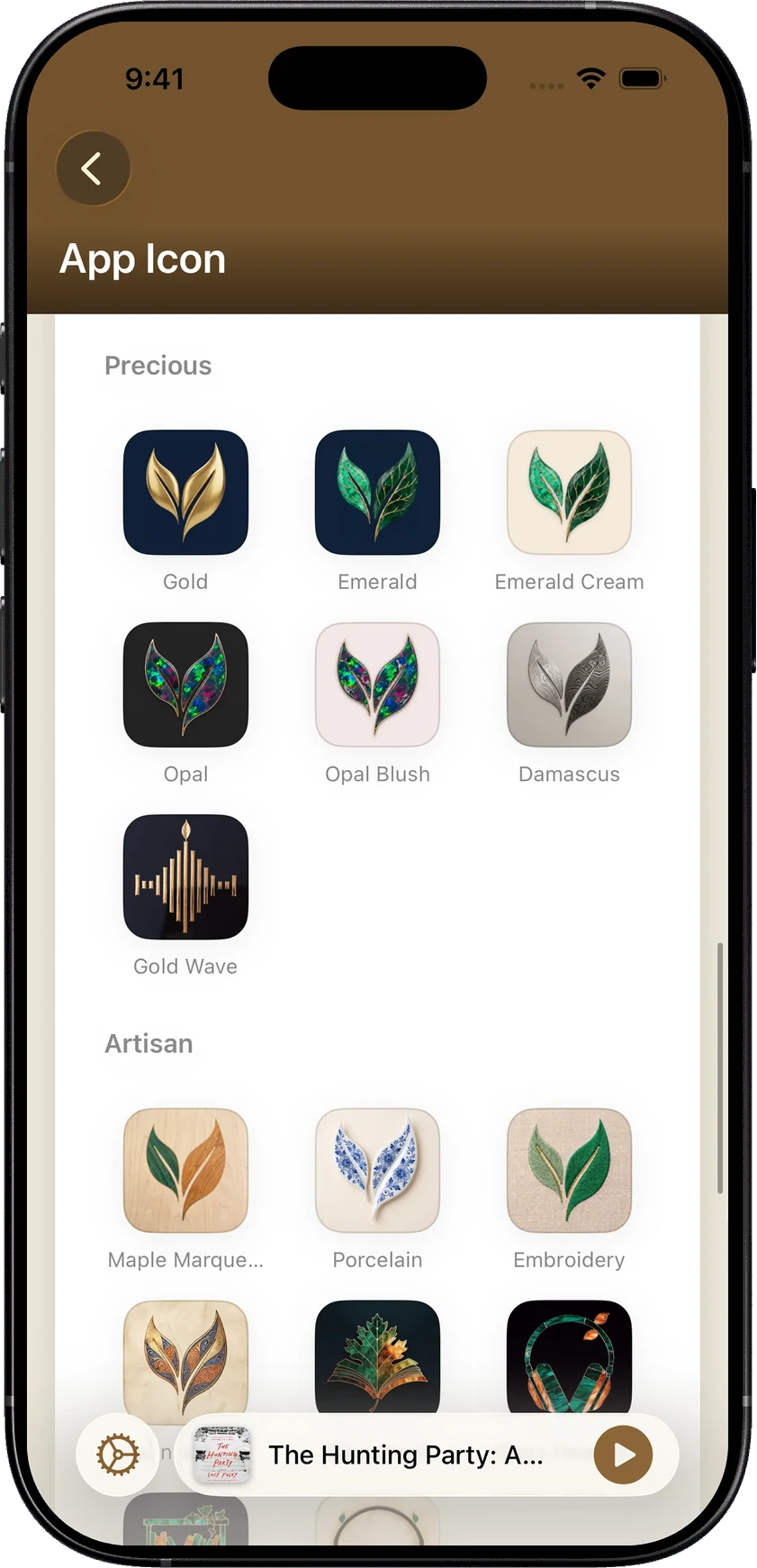
There are icon collections too. Botanical pairs pressed flowers and butterflies with the SoundLeaf mark. Precious uses gold, emerald and opal; Artisan uses porcelain, embroidery and wood. There are free and Pro choices, with these collections and the Burgundy, Orchid and Lagoon themes included in Supporter.

Common questions about Audiobookshelf iPhone apps
Is there an official Audiobookshelf app for iPhone?
Not on the App Store. The official app is a TestFlight beta, and Apple caps a beta at 10,000 testers. Its GitHub page said “Beta is currently full” when we checked. Every other app on this page is made by an independent developer. See Is there an official Audiobookshelf iPhone app? for how spots open up.
Which Audiobookshelf apps work with CarPlay?
Every App Store app in the table above lists CarPlay: SoundLeaf, AudioBooth, Absorb, Still, ShelfPlayer, plappa, Prologue and BookPlayer.
Can I listen offline with no signal?
Yes, in all of them, once the book is downloaded. Some charge for it: ShelfPlayer needs its subscription and plappa its paid unlock. Prologue lists downloads, but we couldn’t confirm whether downloads on the phone need its Premium unlock. In SoundLeaf, downloads are free, and you can still browse your whole library with the server off.
Is there a free Audiobookshelf iPhone app?
Yes. AudioBooth and Absorb are free, with nothing to buy except optional tips and a Supporter option in AudioBooth. SoundLeaf is free to use too, downloads included. All its listening and reading features are free, and paying is optional; Free, Pro and Supporter lists what each one adds.
Can I use more than one server or account?
SoundLeaf, AudioBooth, Absorb, Still and ShelfPlayer all list several servers or accounts. In SoundLeaf, each saved account keeps its own progress, stats and downloads.
How do I try another Audiobookshelf app?
If you already use Audiobookshelf, trying another client doesn’t mean moving your files or abandoning your server. If your current app syncs progress to Audiobookshelf, let it finish first; if not, note where you are. Then open the same book in SoundLeaf and see how it fits an ordinary listening session. Downloads will need to be made again in the new app.
There’s no need to buy Pro to do that. Listening, manual downloads, Smart Downloads, the EPUB reader and podcast controls are free. Start with a book you know well enough to notice the difference.
Last checked October 18, 2026, against each app’s App Store listing, website and public code. Apps change often; tell us at [email protected] if something here is out of date.