
Do you need the official Audiobookshelf app?
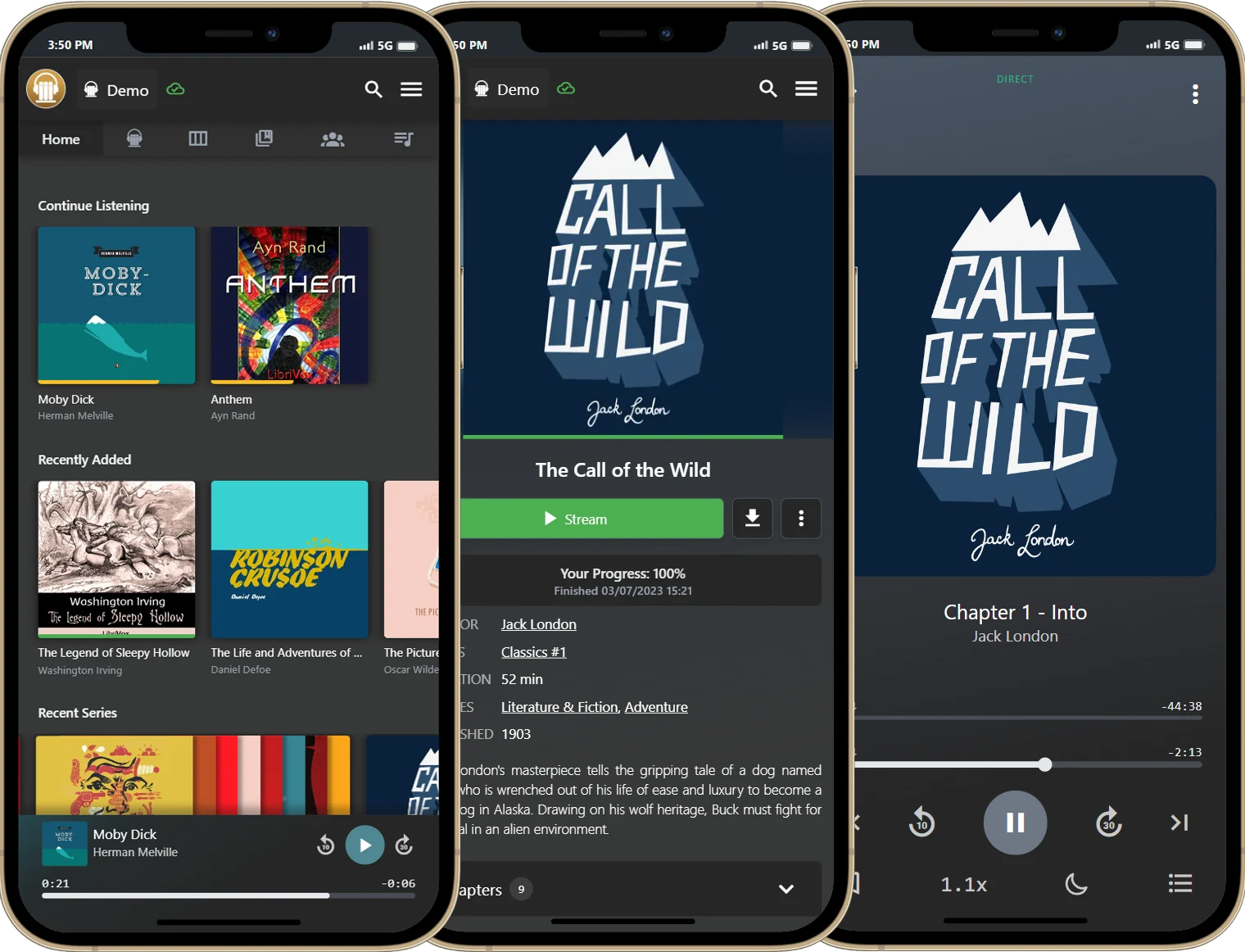
SoundLeaf and the official Audiobookshelf iOS app both use your existing server and account. SoundLeaf is on the App Store; the official app is a TestFlight beta that is often full.
The official mobile app is one option. SoundLeaf is another, developed independently for the same server. Both use your existing Audiobookshelf library and account. Installing SoundLeaf doesn’t mean uploading your collection to us, buying the books again or replacing the server you’ve just configured.
That separation is one of the good things about self-hosting. You can change the part you touch every day without starting over with the collection underneath it.
How do you install each app?
The official iOS app is distributed through TestFlight as a beta, and its signup has been full. If you have a place, you can use it with your server; if you’re setting up a new phone, availability may be the first practical obstacle. Is there an official Audiobookshelf iPhone app? explains why the beta fills up, when spots open again and what sideloading means.
SoundLeaf is available from the App Store. You can connect your server and use listening, manual downloads, the EPUB reader and podcast controls without a paid upgrade. That gives you a way to start using the library while keeping the option to try other clients later.
The official client is open source, so you can inspect its code or contribute to the project. SoundLeaf is proprietary. If an open-source client is a requirement for your setup, that difference is decisive, regardless of which player you prefer.

Why SoundLeaf exists
A fun fact: SoundLeaf exists because, in 2025, my wife couldn’t join the Audiobookshelf iOS beta. It was full. She wanted to listen to her books; I somehow turned that into building an entire audiobook app. A perfectly proportionate response to a full signup page.
So, to the people who build and maintain Audiobookshelf: thank you. You made something that became part of our lives, and gave me the foundation to build SoundLeaf. I’m grateful for the work you put into it and the community around it. Whatever app you choose for your phone, Audiobookshelf is what makes all of this possible.
How does SoundLeaf work offline?
SoundLeaf is built around a local library that syncs with Audiobookshelf. It keeps the book and episode information it receives, so the collection remains browsable when the server is out of reach. Audio needs to be downloaded for offline playback; once it is, losing the connection shouldn’t end the chapter.
That’s an important distinction for a server running at home. The machine may restart, the connection may drop, or you may simply be somewhere without reception. Your phone should still have useful things to show you, and your listening progress should make its way back when the connection returns.
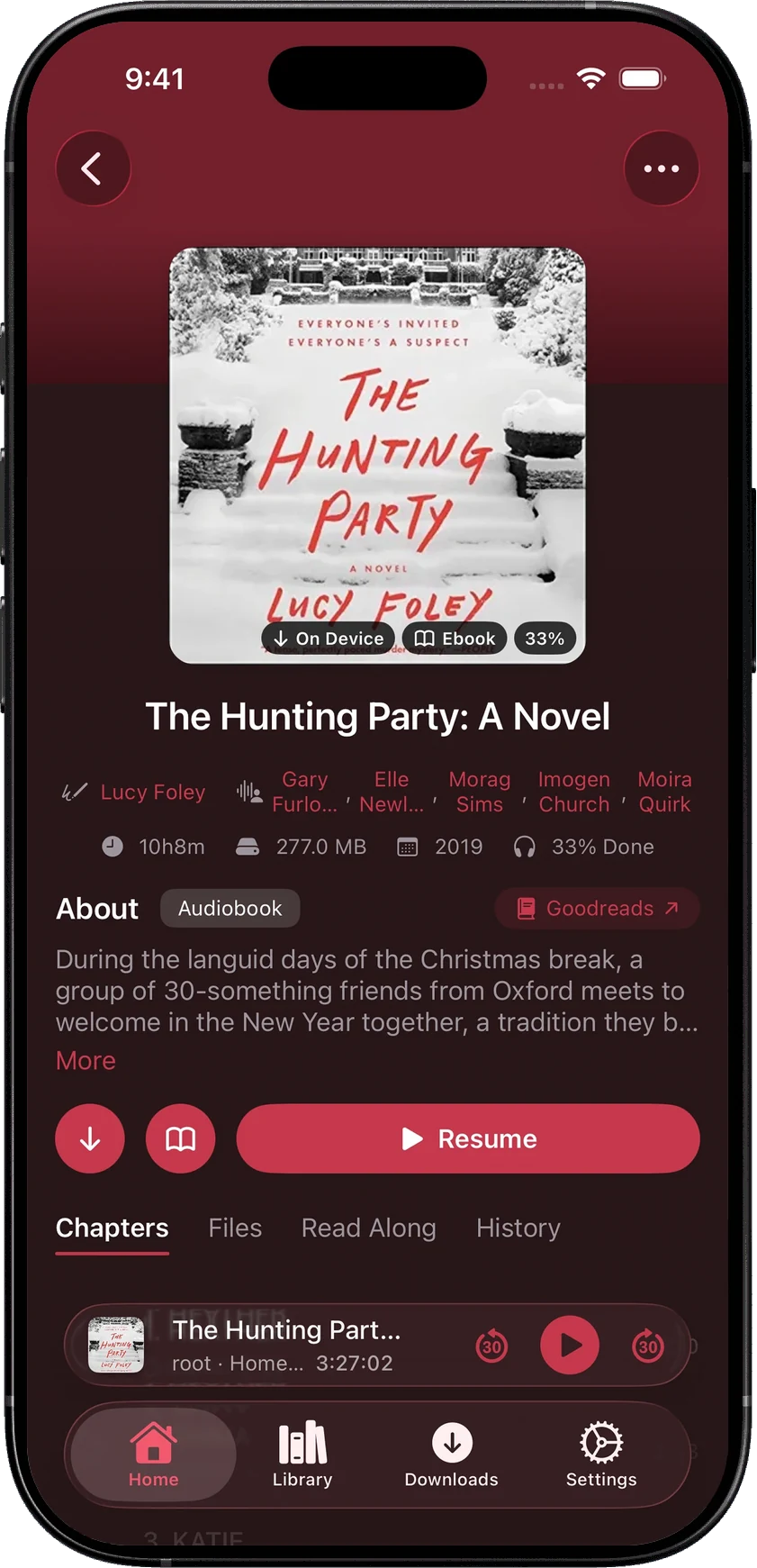
Open a book and its chapters, ebook and listening history are together on the detail page.
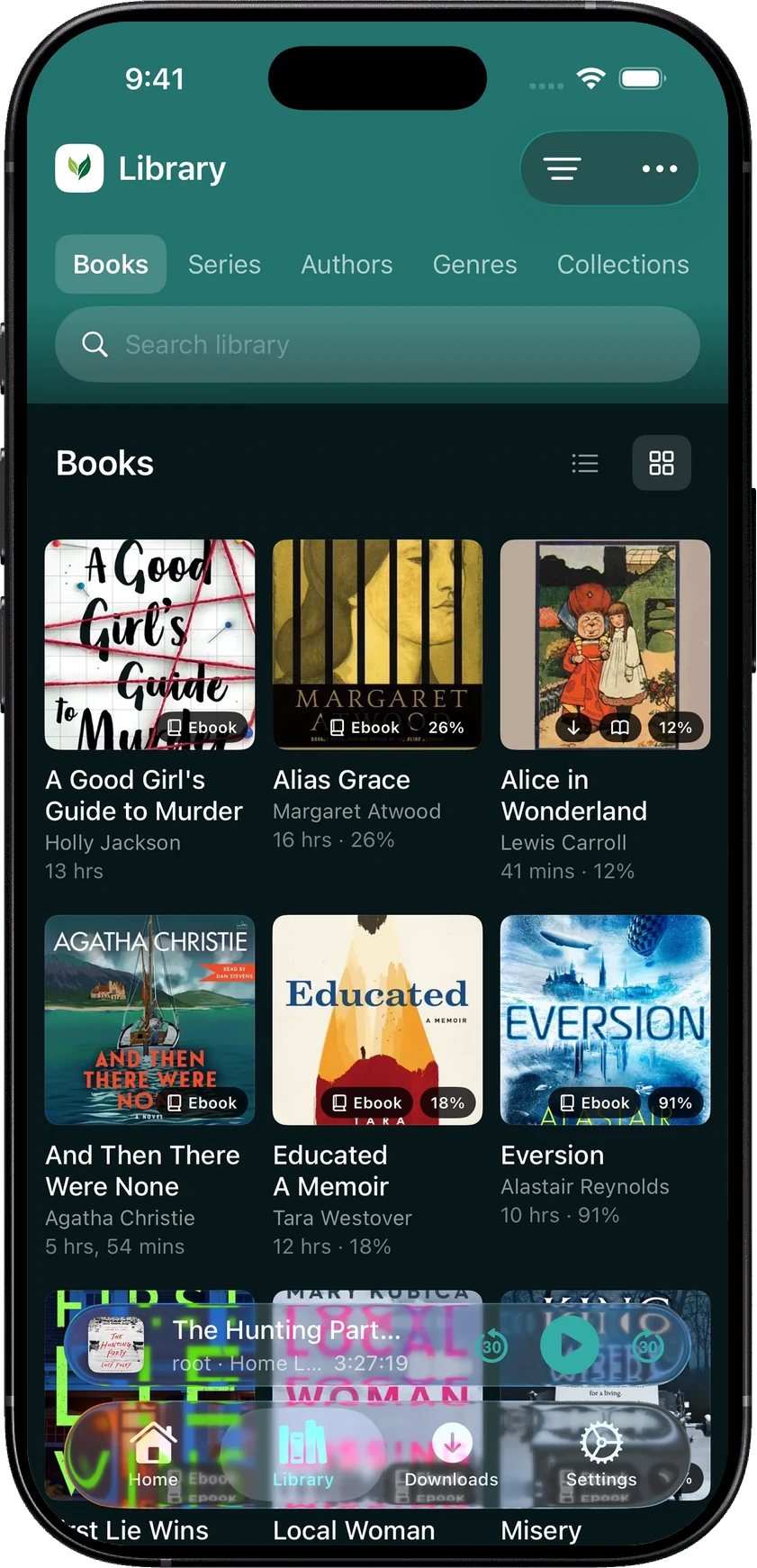
Library offers separate views for Books, Series, Authors, Genres, Collections and Playlists. Saved accounts keep their progress and downloads separate, which is useful when several people share a server. Settings also shows whether your server is reachable and how quickly it answers, giving you something concrete to check when a connection needs attention.
Can you read an ebook while listening?
If your audiobook has a matching EPUB, SoundLeaf can follow it with Read Along. The narrated words highlight and the pages advance while you listen. You can check a phrase, search the text or carry on reading when audio isn’t convenient.
The matching happens on your iPhone, with the audio and the EPUB downloaded. It needs text that matches the narration; a different edition or an abridged recording can interrupt it. The reader also works on its own, with its own font, spacing and page color.
How does SoundLeaf handle podcasts?
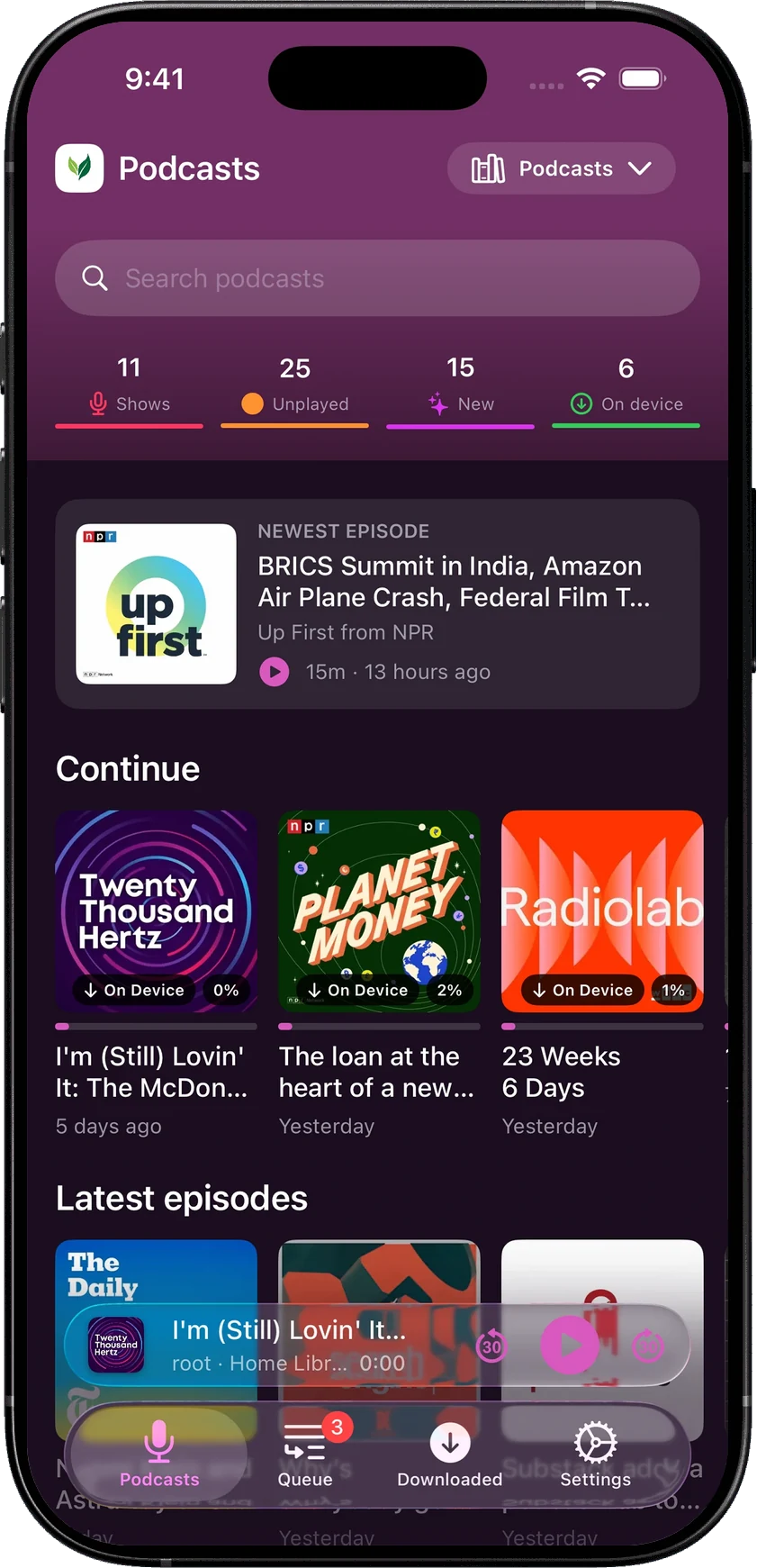
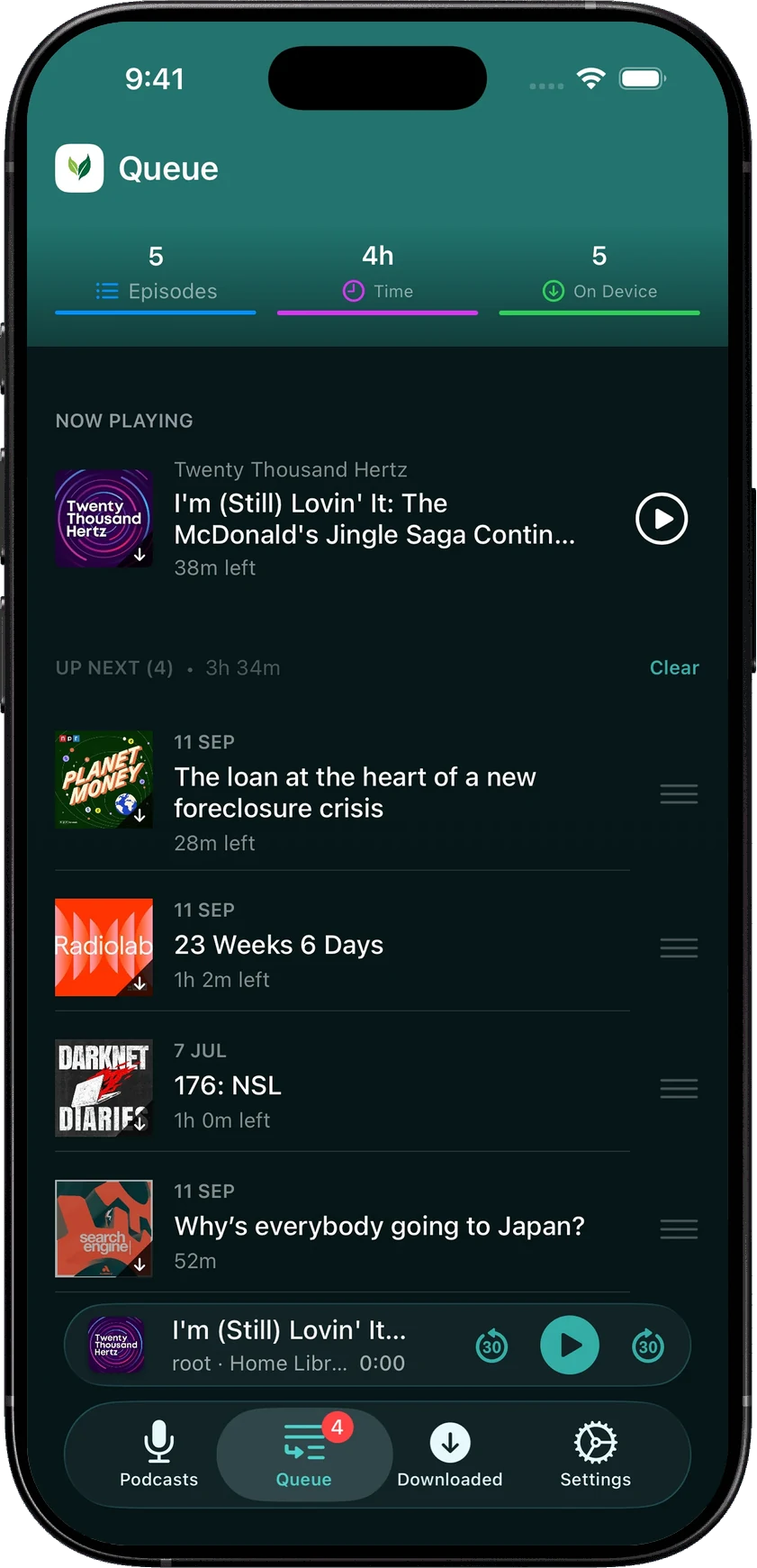
Audiobookshelf can hold podcasts as well as books. SoundLeaf gives those shows a dedicated home, queue and downloaded view, with settings for how each one behaves.
Keep a few recent episodes of a daily show, listen to a serial from the beginning, and use a different speed for a slow interview. Download limits, played-episode cleanup and queue placement can be set per show. When the publisher supplies a timed transcript, you can follow it and keep it with the downloaded audio.
Which app to choose
The official app keeps you close to the open-source Audiobookshelf project. If you value that, enjoy contributing to a beta and already have access, it has a clear place.
SoundLeaf is on the App Store and uses the same library, with Read Along, podcast settings for each show, CarPlay, Apple Watch listening and downloads for offline listening. Your chosen theme carries through books, podcasts, the player and settings.
You can find out whether that matters to you with your own account. Let your current app sync, download a familiar book in SoundLeaf, and use it through the next chapter. Your server stays yours either way.