
Which should you pick?
Both apps connect to your Audiobookshelf server. Pick ShelfPlayer if you want to search across libraries and build collections from your phone, and don’t mind a subscription for offline listening. Pick SoundLeaf if you want free downloads, Read Along with the ebook, and podcasts with their own settings.
How do the apps organize a large library?
With a handful of audiobooks, a cover grid gets you a long way. Once the collection spreads across authors, series and libraries, finding the right thing becomes a bigger part of using the app.
ShelfPlayer’s search and organization tools are a good reason to consider it. You can search across connected libraries, bring them together in Listen Now, and create or edit collections and playlists from the phone. If you like building reading queues for a trip, a topic or a particular mood, that’s useful work to be able to do without returning to the server’s web interface.
SoundLeaf approaches the collection through its Library tab. Books, Series, Authors, Genres, Collections and Playlists each offer a way in, and you can make, rename and reorder playlists from the phone. Switch between the available lists, grids and shelves depending on whether you’re looking for a known title or choosing by its cover. The aim is to make the collection inviting to browse, including when you haven’t decided what’s next.
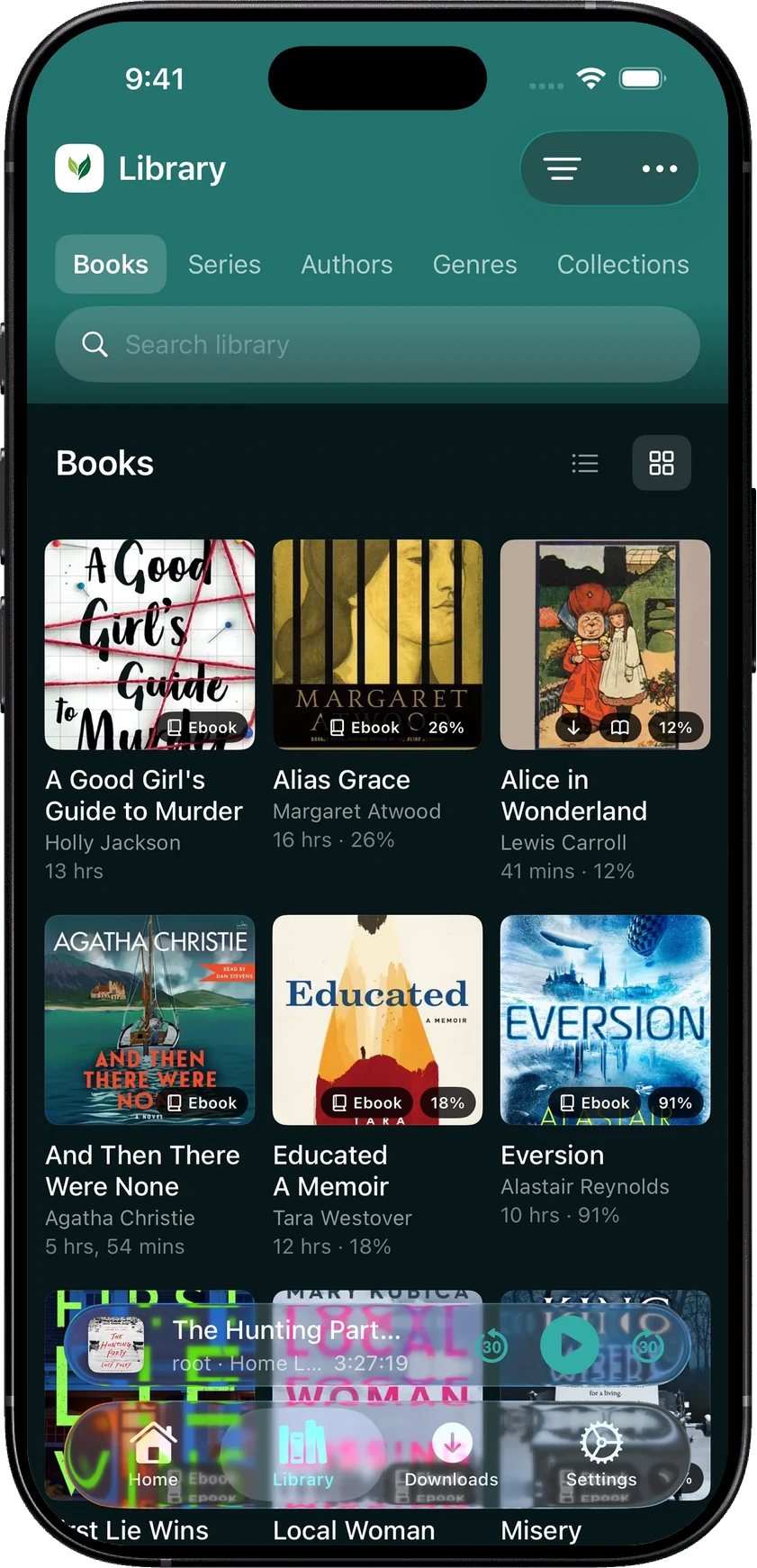
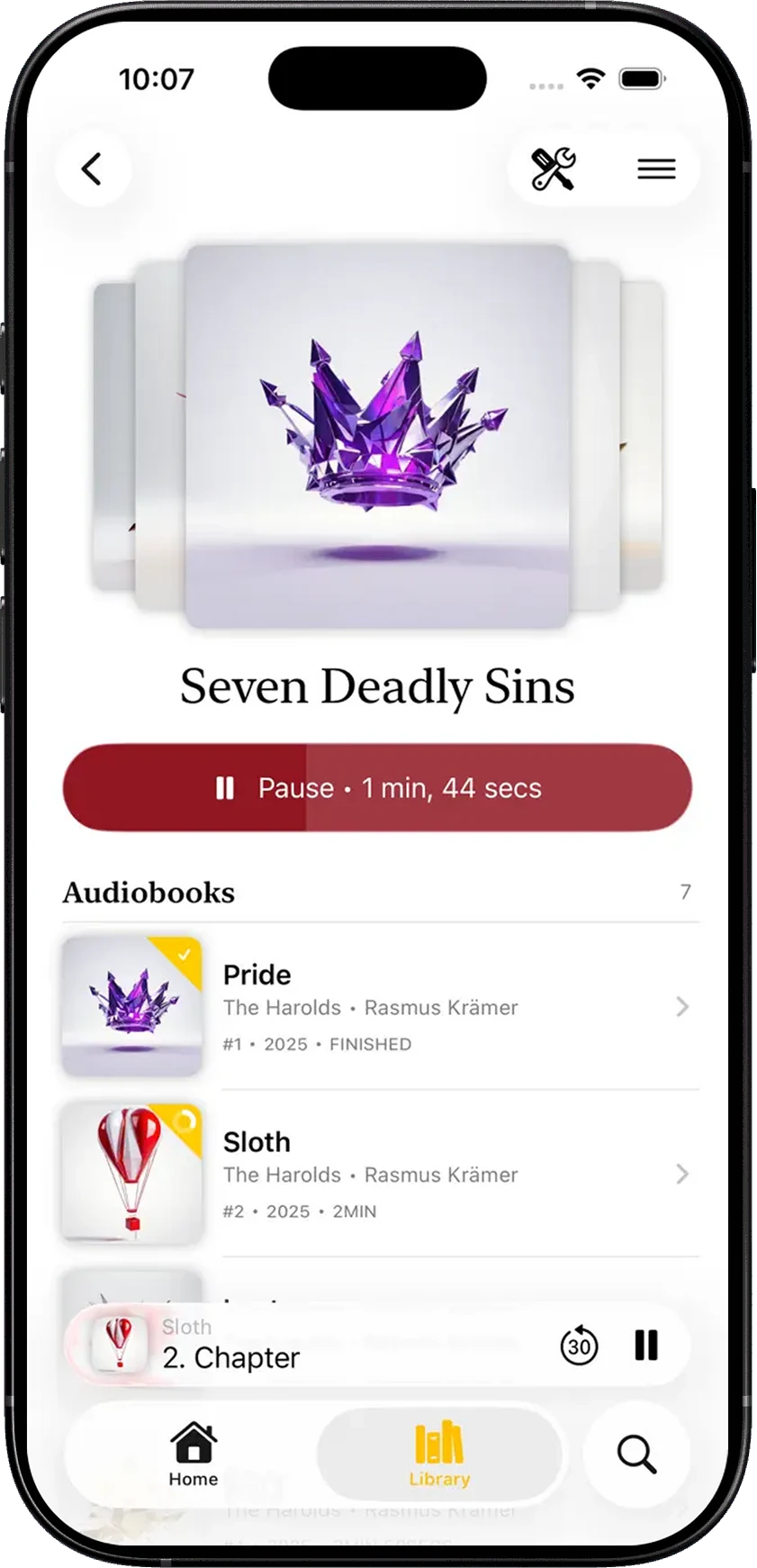
Both apps let you build playlists on the phone, and ShelfPlayer can also create and edit collections.
Does ShelfPlayer cost money now?
ShelfPlayer is free to download, but offline listening needs a subscription. On October 18, 2026, its App Store listing offered it at $2.99 a week or $29.99 a year in the US. The subscription also covers playback speeds other than 1×, bookmarks, adding to the queue, listening statistics and sleep timers longer than five minutes. That makes the recurring purchase part of the decision, rather than an optional change of appearance.
SoundLeaf includes downloads and playback controls for free. Its EPUB reader, podcast auto-download, Smart Downloads and Watch app are free too. Pro is a one-time purchase (US$9.99 on the US App Store on October 18, 2026) for extra themes and icons; the optional Supporter, monthly, yearly or a one-time payment, adds its own themes and icon collections. Free, Pro and Supporter has the details.
Who makes ShelfPlayer now?
ShelfPlayer changed hands in 2026. On July 14, 2026, its original developer posted a goodbye note on the project’s GitHub page saying he had sold ShelfPlayer to the Italian company Space Mushrooms, and the repository was archived. The App Store now lists the seller as AI Tools Apps SRL.
The first release after the sale was version 3.3.1 on August 25, 2026, with the release note “Bug fixing and improvements”. A copy of the App Store page saved by the Internet Archive on August 26, 2026 already shows the weekly and yearly subscription. We couldn’t find a public source that says exactly when the subscription started, so we’ve left that out.
If you already use ShelfPlayer, check what your current version includes before deciding. For someone starting fresh, SoundLeaf lets you download a book and use it through a normal day without choosing a subscription first.
There’s also a device consideration: ShelfPlayer requires iOS 26, while SoundLeaf supports iOS 17.6 and later. An older listening phone may decide this comparison before either app’s library layout does.
Can you read ebooks while listening?
ShelfPlayer can open attached PDFs. That’s handy for a nonfiction audiobook with charts, or a novel with a map you want to keep nearby.
SoundLeaf opens the EPUB attached to the book. With Read Along, the words highlight and the page turns as the narrator advances. You can follow a difficult passage, check how a name is spelled, or stop listening and read quietly. Font, spacing and page color can be set separately from the app theme.
It needs the audio and a matching EPUB downloaded, and the matching runs on the iPhone. A different edition or an abridged recording can make the match unreliable.
How do the apps handle podcasts?
Both apps have substantial podcast support. ShelfPlayer brings shows and episodes into its wider library search and Listen Now experience. That makes sense if you want a single place to find whatever you’re currently following.
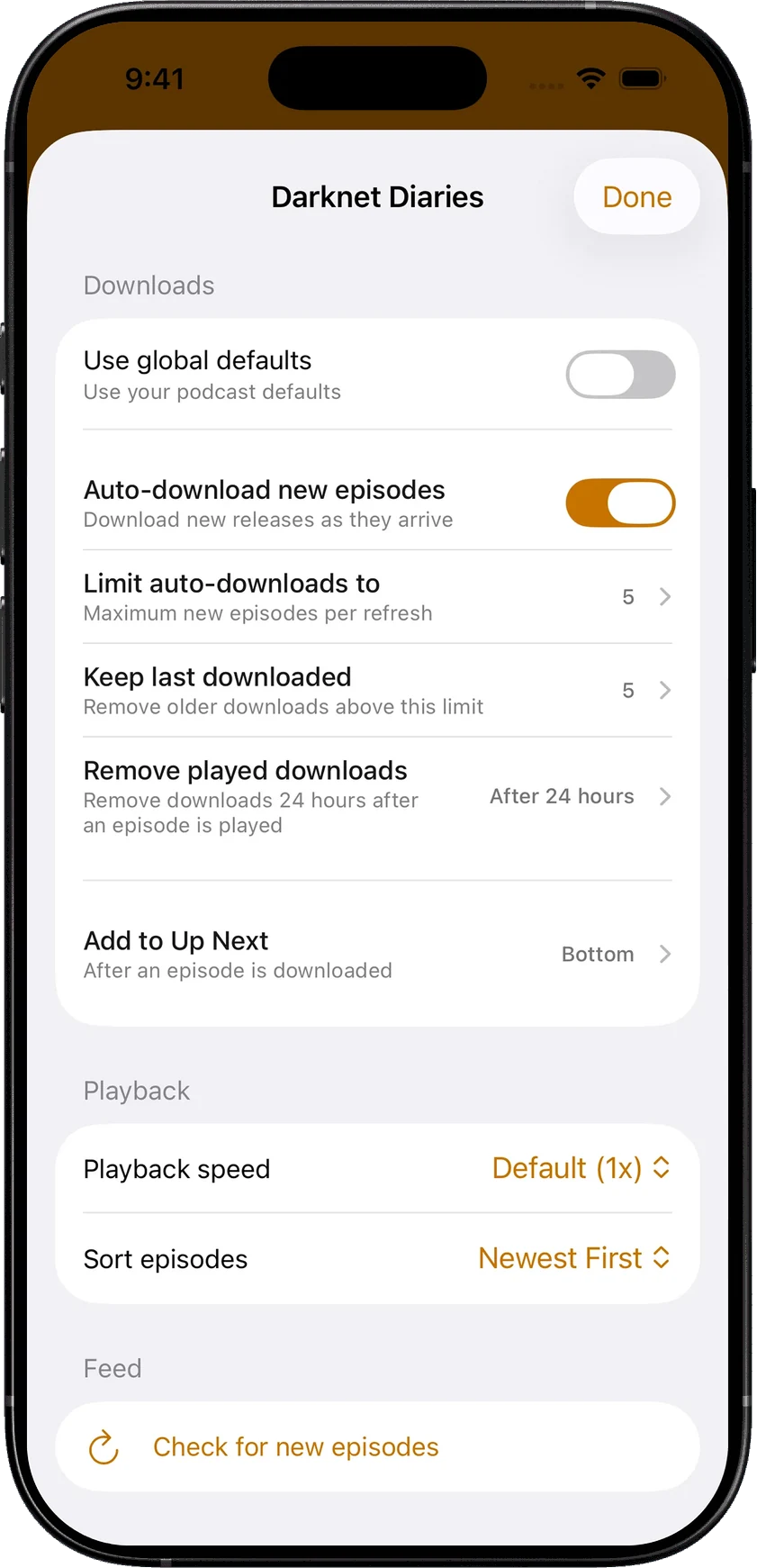
SoundLeaf gives podcasts a separate home, queue and downloaded view. A show can use a different speed, episode order and download policy from its neighbors. Keep a few recent news episodes, remove played downloads after a delay, and let new downloads join Up Next where you want them.
Publisher-supplied timed transcripts are another useful part of SoundLeaf’s podcast experience. They follow the spoken audio and stay with downloaded episodes, so you can return to a quote or pick out a name without replaying the whole conversation.
Which app to choose
ShelfPlayer suits the person who wants to manage their collection from the phone: searching across libraries, editing collections and playlists, and deciding what comes next. Downloads, speeds other than 1× and bookmarks need its subscription, so count that in.
SoundLeaf suits the person who wants the library to remain useful away from the server, the text beside the narration, and podcasts with their own settings. Downloaded audio keeps playing offline, while library information stays available on the phone. Your progress syncs back when the server is reachable again.
You can try either with your existing Audiobookshelf account. Let the current app sync before switching, then download the book in the new one. The collection stays on your server; the daily experience is yours to choose.