# Listening Stats and Goals
> Show your listening time, streak and goal on Home, pick a style for each library, and set a daily or weekly listening goal
Source: https://soundleafapp.com/docs/listening-stats-and-goals/
---
Home can show how much you've listened today and this week, your streak, and how close you are to a goal. You choose how much room that takes for each library, and the goal is optional.
## Home stats styles
There are five styles:
- **Library stats** - your original library counts and totals: size, duration, authors and items
- **Numbers** - today, this week, your streak and your goal in a compact row. This is the default.
- **Activity** - the same numbers with a row of recent listening days. Tap the row to open your listening calendar.
- **Compact ring** - a small goal ring beside your listening stats
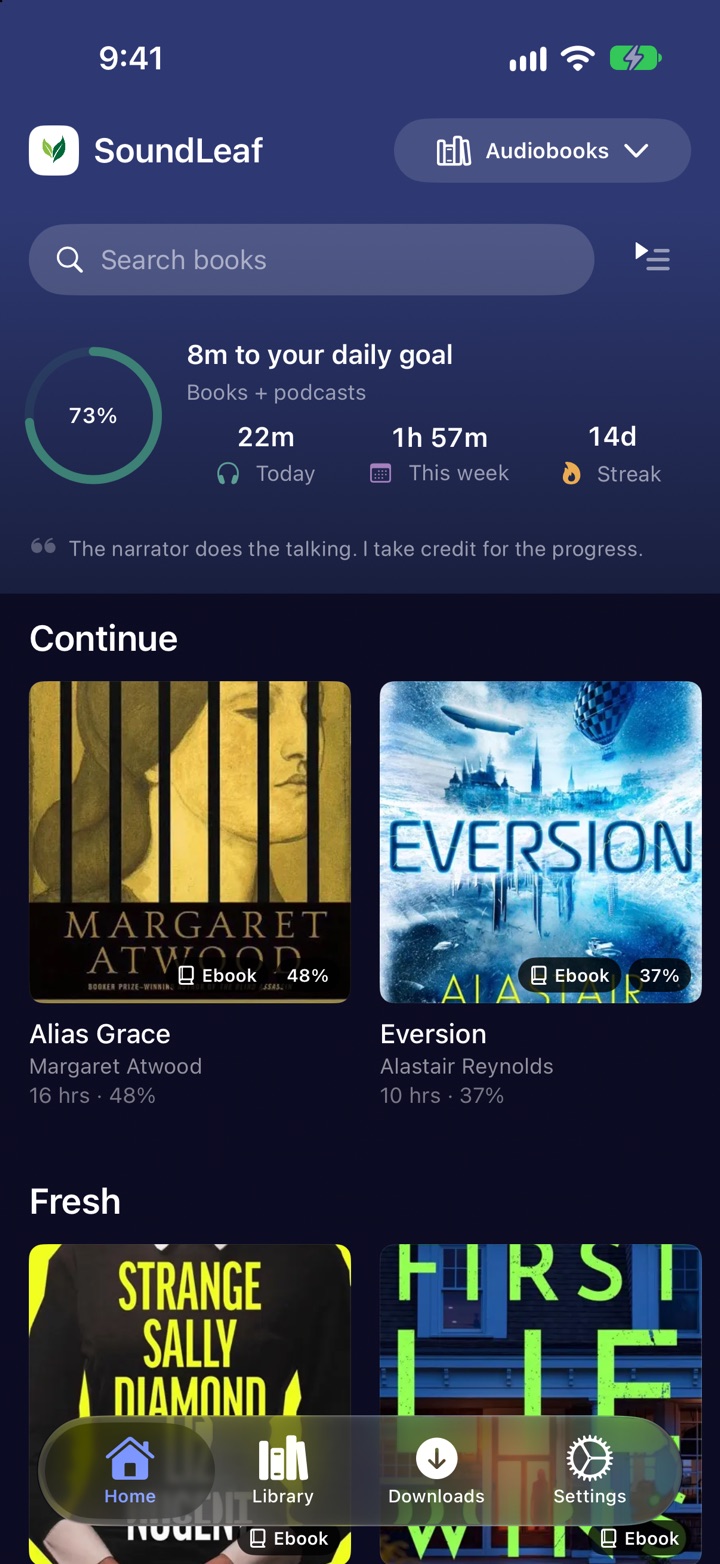
- **Focus ring** - a larger goal ring that says how much is left to your goal
Home with the Focus ring style.
Each library keeps its own style, so a podcast library can use a compact row while your books get the big ring. In a podcast library the numbers switch to this year, finished episodes and your all-listening streak and goal.
To change it:
- Press and hold the stats row on Home and choose **Change style**, or
- Go to **Settings > Appearance > Stats Style**, pick a library, then pick a style
The style is saved for that library and account on this device.
## Setting a goal
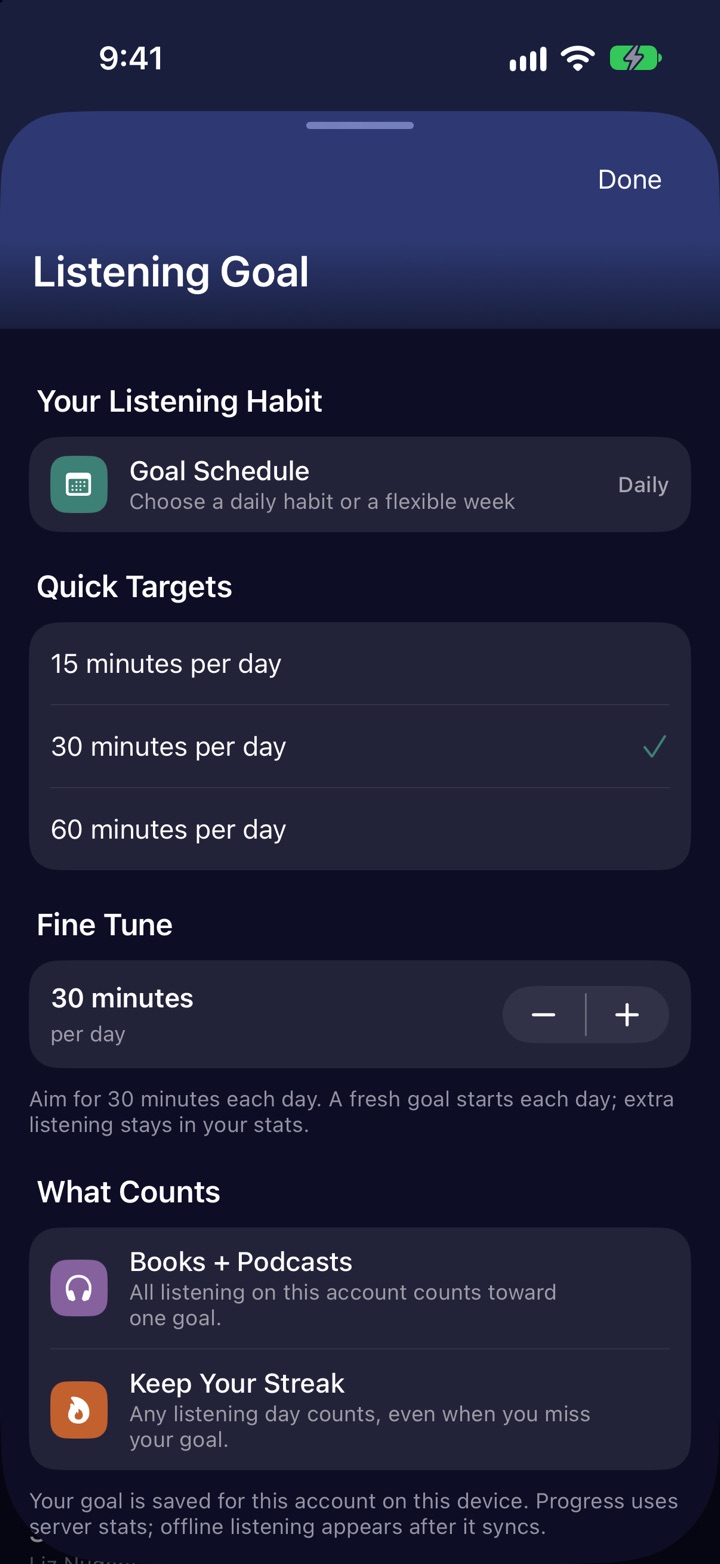
Goals are off until you turn one on. Press and hold the stats row on Home and choose **Edit listening goal**, or go to **Settings > Appearance > Listening Stats** and tap **Listening Goal**.
- **Goal Schedule** - **Off**, **Daily** or **Weekly**
- **Quick Targets** - 15, 30 or 60 minutes a day, or 90, 150 or 300 minutes a week
- **Fine Tune** - any target in steps of 5 minutes
A daily goal starts fresh each day. A weekly goal runs Monday to Sunday.
## What counts
- **Books and podcasts together.** All listening on the account counts toward one goal.
- **Any listening day keeps your streak**, even a day you missed the goal.
- **One account at a time.** The goal is saved for the account you're using on this device. Saved accounts aren't added together.
## Where the numbers come from
The figures come from the listening your Audiobookshelf server has recorded. Listening counts once it reaches the server, so listening done offline shows up after it syncs. Home refreshes the numbers every minute while the app is open and again when you stop playback.
Days follow the dates your server records, and weeks start on Monday.
## More stats
Tap any figure on Home for today and this week against your goal, with links to **Edit Listening Goal** and **All Stats**. Tap your streak or the Activity row for the listening calendar.
**All Stats** (also at **Settings > Appearance > Listening Stats**) has your all-time total, the listening calendar, your year in books, patterns like time of day and books versus podcasts, and your top listens.
## Troubleshooting
### Today's listening looks too low
Listening done offline or on another device counts once it reaches your server. Open SoundLeaf with a connection and give it a minute.
### The ring shows a target icon instead of progress
No goal is set. Press and hold the stats row and choose **Edit listening goal**.